

Introduction
Learn what the Blazelock API is, where it fits, and how it supports secure file scanning workflows.
The Blazelock API is the programmable interface between your application and Blazelock. It lets your systems send files into the scanning pipeline, retrieve scan results, and react to scan events inside your own workflows without forcing a specific application architecture.
Purpose of the Blazelock API
Use the Blazelock API when you want to add malware scanning to your own tools, applications, services, platforms, or internal workflows. It is the developer-facing programming interface for connecting Blazelock to both new products and existing systems.
Blazelock handles the scan processing in the background in the cloud, so you do not need to build or operate your own malware scanning infrastructure. Your application stays in control of the surrounding business logic while Blazelock takes care of the scanning layer.
The Blazelock API also gives you access to scan engines from industry-leading providers that we evaluate continuously for scan quality, false-positive behavior, and operational reliability. More details are available in Compliance and Security.
Typical goals include:
- Adding malware scanning to custom tools, customer-facing applications, and internal platforms
- Offloading malware scan processing and related infrastructure
- Enforcing security checks before files reach storage, processing, or downstream systems
API integration in the dashboard
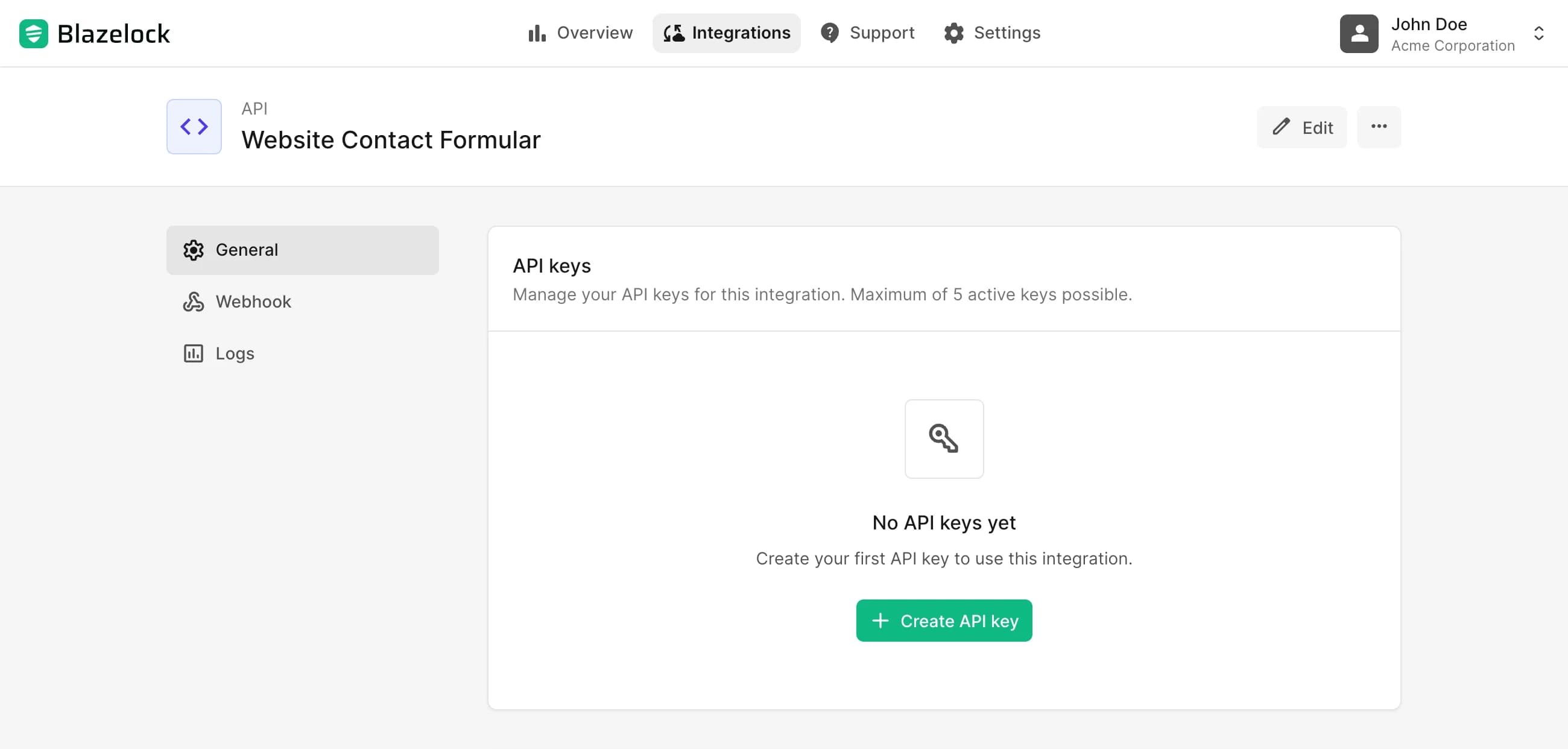
In Blazelock, the API is provided as an integration type. You create an API integration in the dashboard and use it as the operational connection point for one application, environment, workflow, or business context.
This gives teams a clear place to manage the connection over time. The integration keeps the technical access, operational settings, and future extension points grouped together so the setup stays understandable as your platform grows.
Typical flow
The exact implementation depends on your architecture, but the overall pattern is usually straightforward:
This structure allows you to keep your own application as the primary user-facing system while Blazelock handles the malware scanning layer behind the scenes.
API integration components
An API integration usually combines several building blocks that work together:
- The API integration in the Blazelock dashboard, where the connection is created and managed
- API keys, which allow your systems to authenticate their requests
- File scan endpoints, which accept files and return scan data
- Ways to retrieve results, so your application can continue once a scan reaches a relevant state
- Webhook settings, which enable event-driven updates for asynchronous workflows
- Operational insights such as usage data and related logs
Together, these parts define how your system connects to Blazelock and how the integration is configured, secured, and operated in practice.
Common use cases
The Blazelock API is a good fit for a wide range of product and backend scenarios, for example:
- A SaaS product that scans customer uploads before files become visible in the workspace
- A platform that scans image uploads before further processing, storage, or delivery to other users
- A support or CRM system that scans ticket attachments before agents can open, download, or forward them
- A document platform that checks invoices, contracts, or attachments before further processing
- A backend workflow that scans files before OCR, AI processing, PDF parsing, or other downstream services
- An internal business tool that verifies files in background jobs after import
- A marketplace or partner portal that wants to validate incoming files before distribution
These are only some common examples. The Blazelock API can support many other integration scenarios depending on your product, workflow, and security requirements. If you want to discuss a specific use case, feel free to contact us.
Technical reference
Looking for authentication, endpoint details, request schemas, or webhook event definitions? Continue with the Introduction to the API Reference.