Support
Learn which support and feedback channels are available in Blazelock and when to use each one.
Blazelock offers a few simple ways to contact us, depending on what you need. This page gives you a quick overview so you can choose the right channel.
Support Form
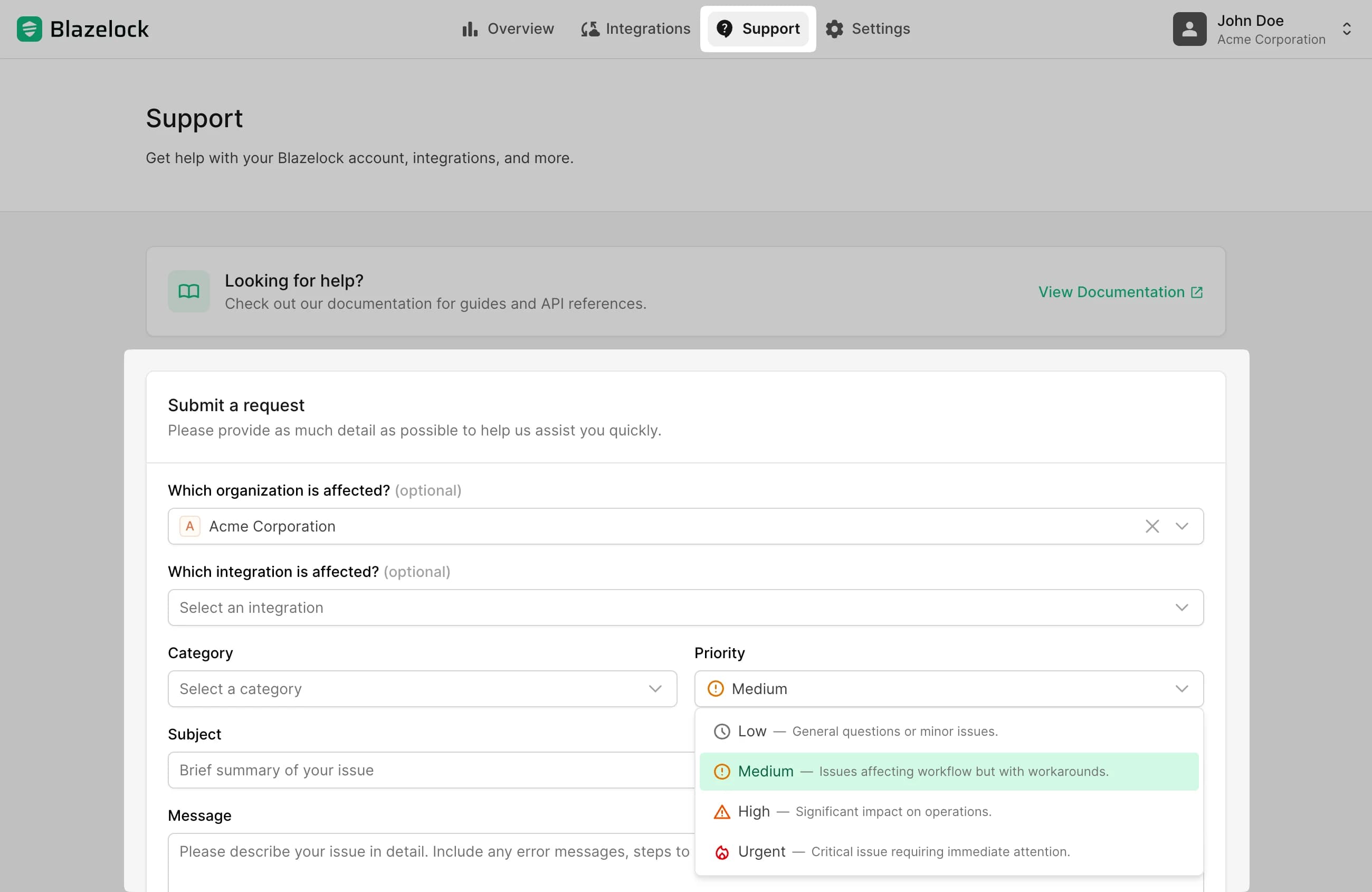
For existing customers, the best option is the Support page in the top navigation of the dashboard. You can also open it directly at app.blazelock.com/support. It is the preferred support channel because it lets you include important context right away, such as the affected category, organization, and integration. This helps us respond to your request as quickly as possible.
Email Support
If you cannot use the dashboard, you can also contact us by email at support@blazelock.com.
Email is especially useful for pre-sales questions or for people who do not have a Blazelock account yet. It is also a good fallback if you are currently unable to submit a request through the dashboard.
Share Feedback
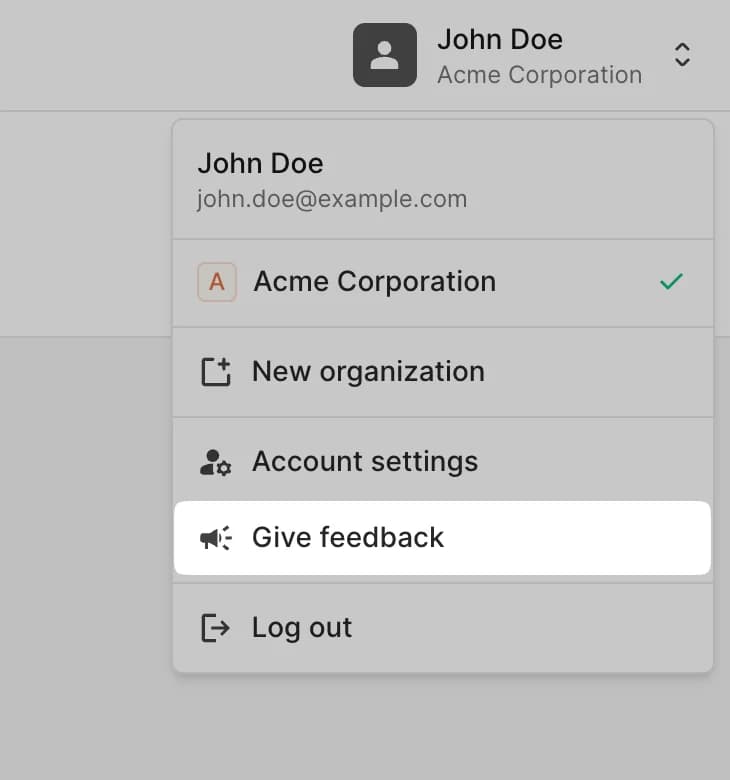
If you just want to share a small suggestion, product feedback, or an improvement idea, you do not need to open a full support request. In the header of the dashboard, open your user menu and choose Give feedback.