

Integrations
Learn what integrations are in Blazelock and how they are created, configured, and managed.
Integrations are one of the central building blocks of Blazelock. They are the connection points between Blazelock and the systems, applications, and product workflows your business wants to protect. Integrations define how data is exchanged and how Blazelock is used in practice.
Integration overview
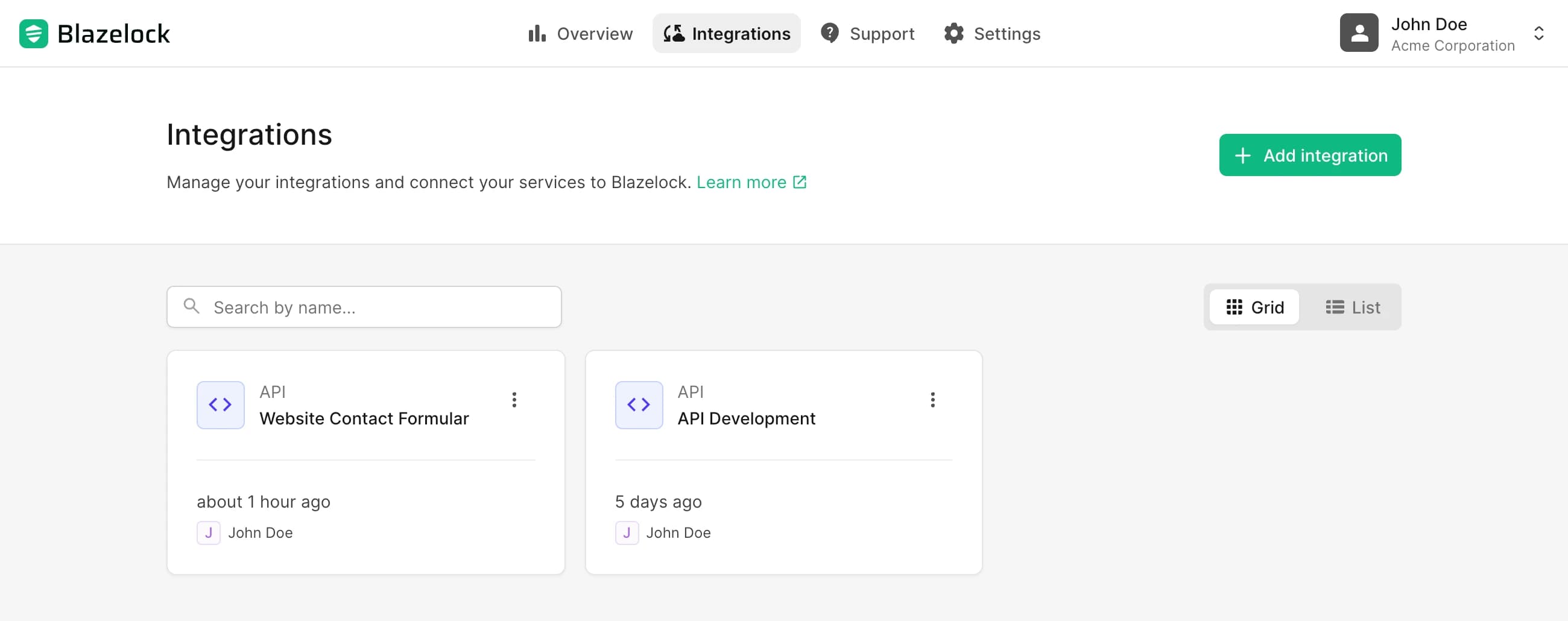
Open Integrations in the navbar to see the overview of all active integrations.
The overview is designed to help teams manage integrations efficiently as their setup grows. From this page, users can:
- Browse integrations in either a list view or a grid view
- Search integrations by name with the search field
- Open an integration to continue on its detail page
- Start the creation flow for a new integration
This overview is especially important for larger teams because integrations are often long-lived operational assets. A clear overview makes it easier to find the right integration quickly, review what already exists, and avoid creating duplicate configurations for the same purpose.
Create an integration
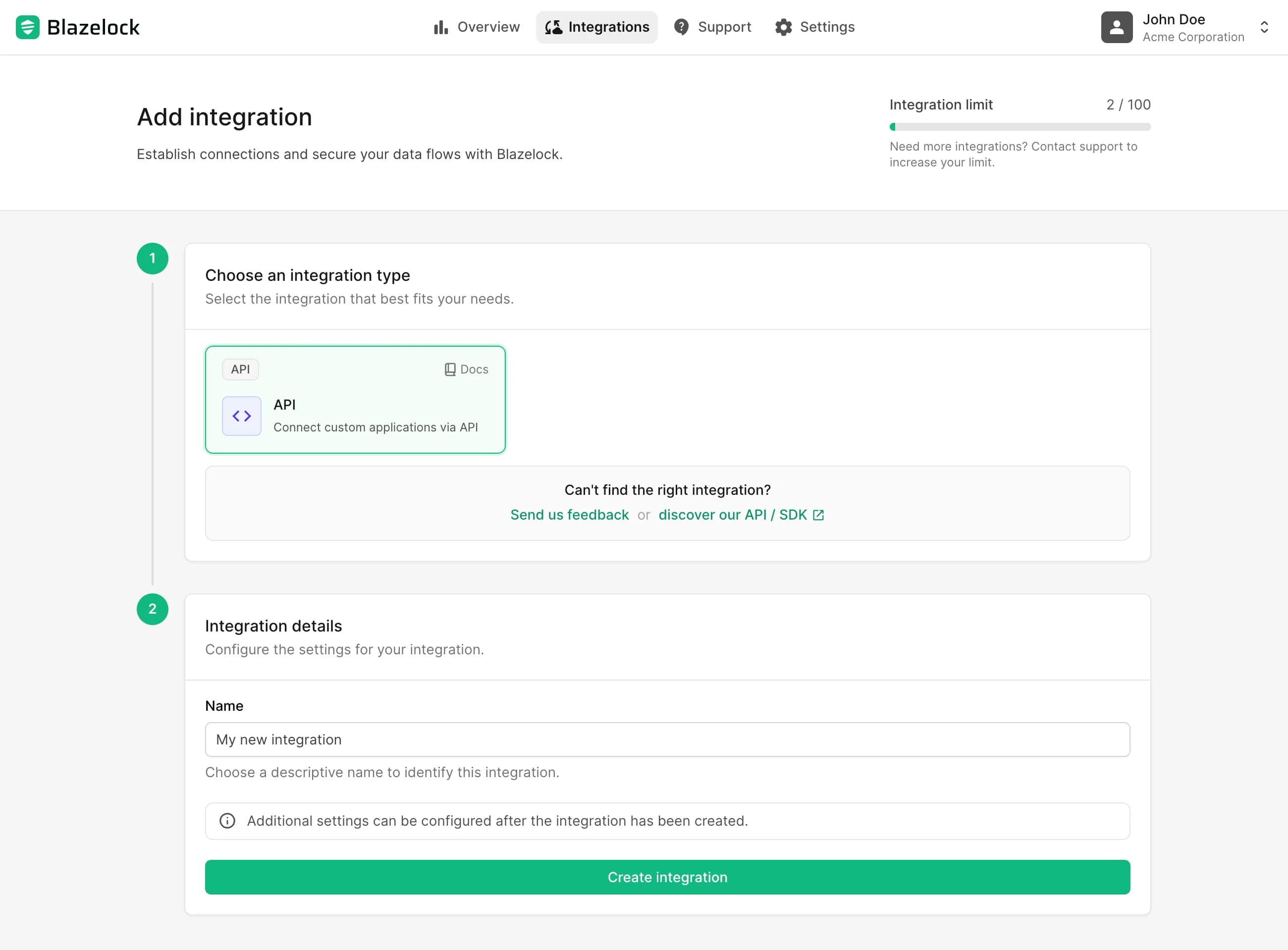
To add a new integration, open the overview and click Add integration.
Choose the integration type.
Enter a descriptive display name for the integration.
Confirm the creation.
Blazelock creates the integration and opens its detail page immediately.
The initial creation step is deliberately lightweight. The goal is to establish the integration first, then let you complete the operational configuration from the dedicated detail pages.
Choose the display name carefully. In practice, the name should help other users understand the intended purpose of the integration at a glance, for example by reflecting the connected application, environment, or business use case.
Integration limit
By default, up to 100 integrations can be created per organization. This default limit is meant to cover the typical setup of most customers while still keeping room for structured growth.
If you need more than 100 integrations, contact Blazelock Support. Increasing the limit is generally straightforward. To raise it properly, we usually need a short explanation of:
- Why a higher limit is needed
- What you plan to build or operate with the additional integrations
- How many integrations you expect to need

Integration details
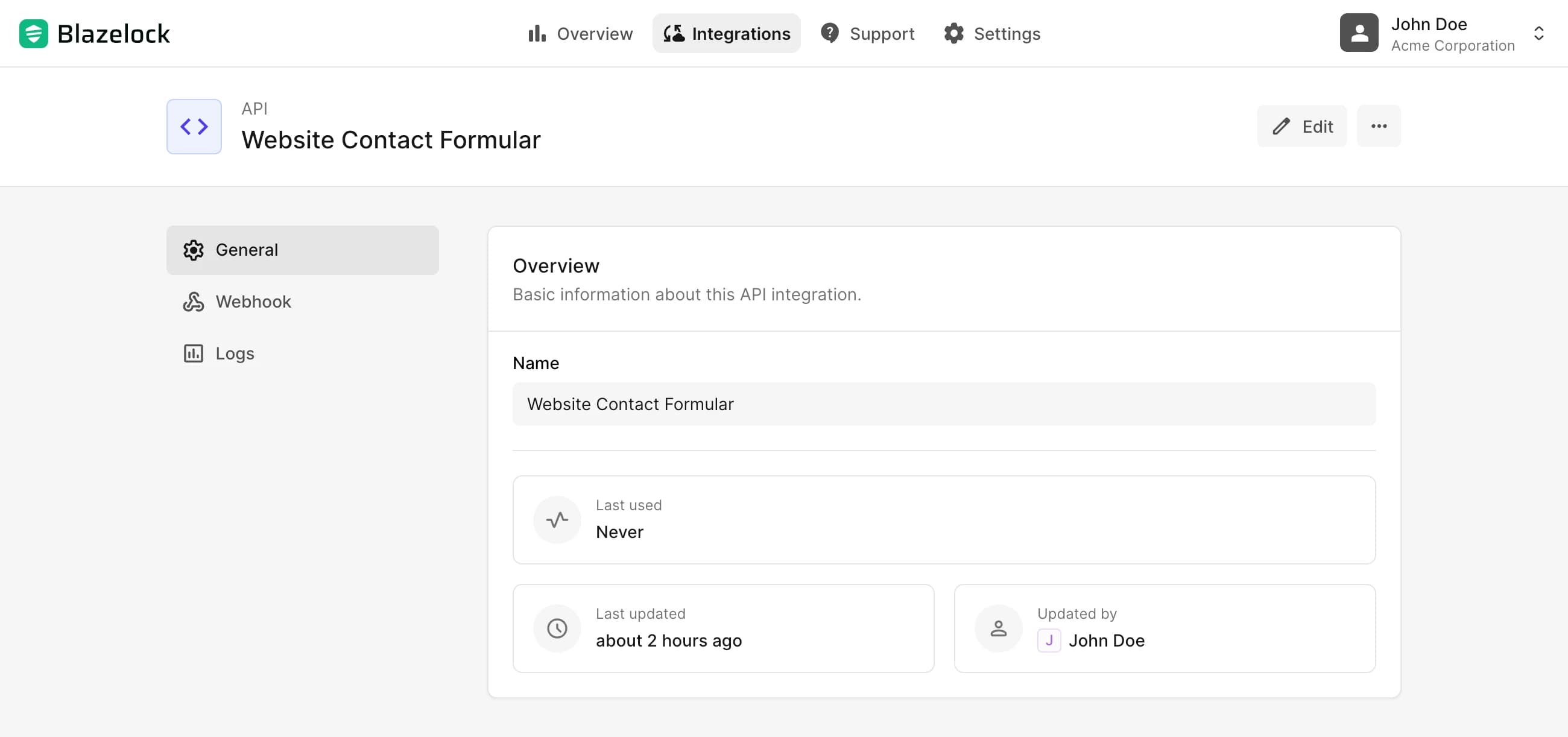
After creation, Blazelock takes you directly to the detail page of the new integration. The detail pages are where the integration is configured, reviewed, and operated over time.
Every integration has a dedicated detail area, but the exact settings depend on the integration type. This is intentional: different integration types solve different operational problems and therefore need different configuration models.
In general, the detail area can include:
- Editable configuration settings
- Operational metadata and status information
- Logs, delivery history, or usage information
This page focuses on the common concept only. The exact configuration options of each integration type are documented separately in the dedicated integrations section of the documentation.
Delete an integration
Deleting an integration follows one consistent flow across integration types.
Use deletion only when the integration is no longer needed and no productive system still depends on it. In business environments, this usually means the connected workflow has been retired, replaced, or moved to a different integration.
To delete an integration:
Open the integration details.
In the page header, open the three-dot menu and click Delete integration.
Review the warning in the confirmation dialog.
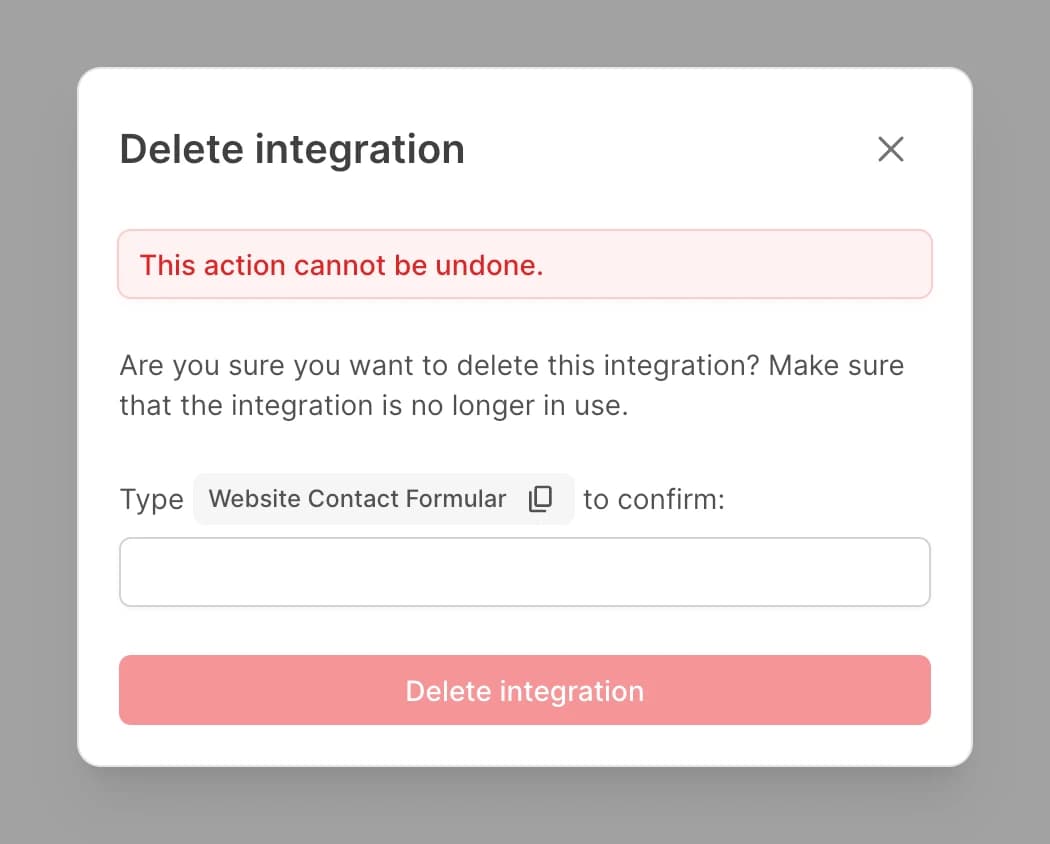
Enter the integration name exactly as requested.
Confirm the deletion.
After confirmation, the integration is removed from the active workspace and its associated integration resources are cleaned up.