
Introducing User Timezones and Integration Logs
- Published on
- Reading time
- 3 min

Building a secure file workflow is only one part of running it in production. You also need to understand what happened, when it happened, and where an integration needs attention.
This update makes that day-to-day work easier with three additions to the Blazelock Dashboard: personal timezone settings, API request logs, and webhook delivery logs.
Your Dashboard, in Your Timezone
Blazelock now detects your timezone when you create an account and stores it as part of your personal profile. You can change it at any time under Account Settings → Profile using a searchable list of supported timezones.
Dates, times, and reporting throughout the dashboard follow your selected timezone. Because the setting belongs to your user account, every member of a workspace can view the same activity in their own local time.
See Every API Request at a Glance
The new API Logs view gives you a 30-day overview of the requests made through an API integration. A daily chart shows total traffic and separates successful responses from client and server errors.
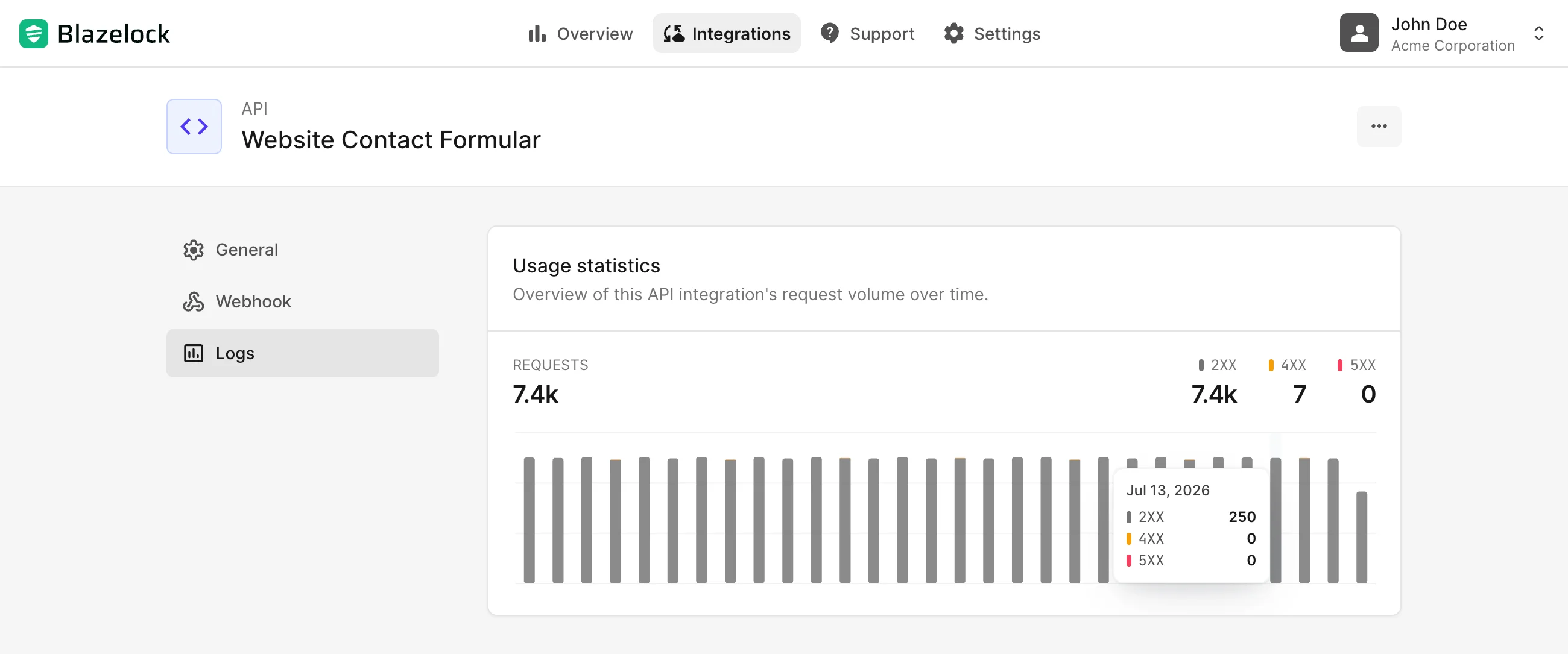
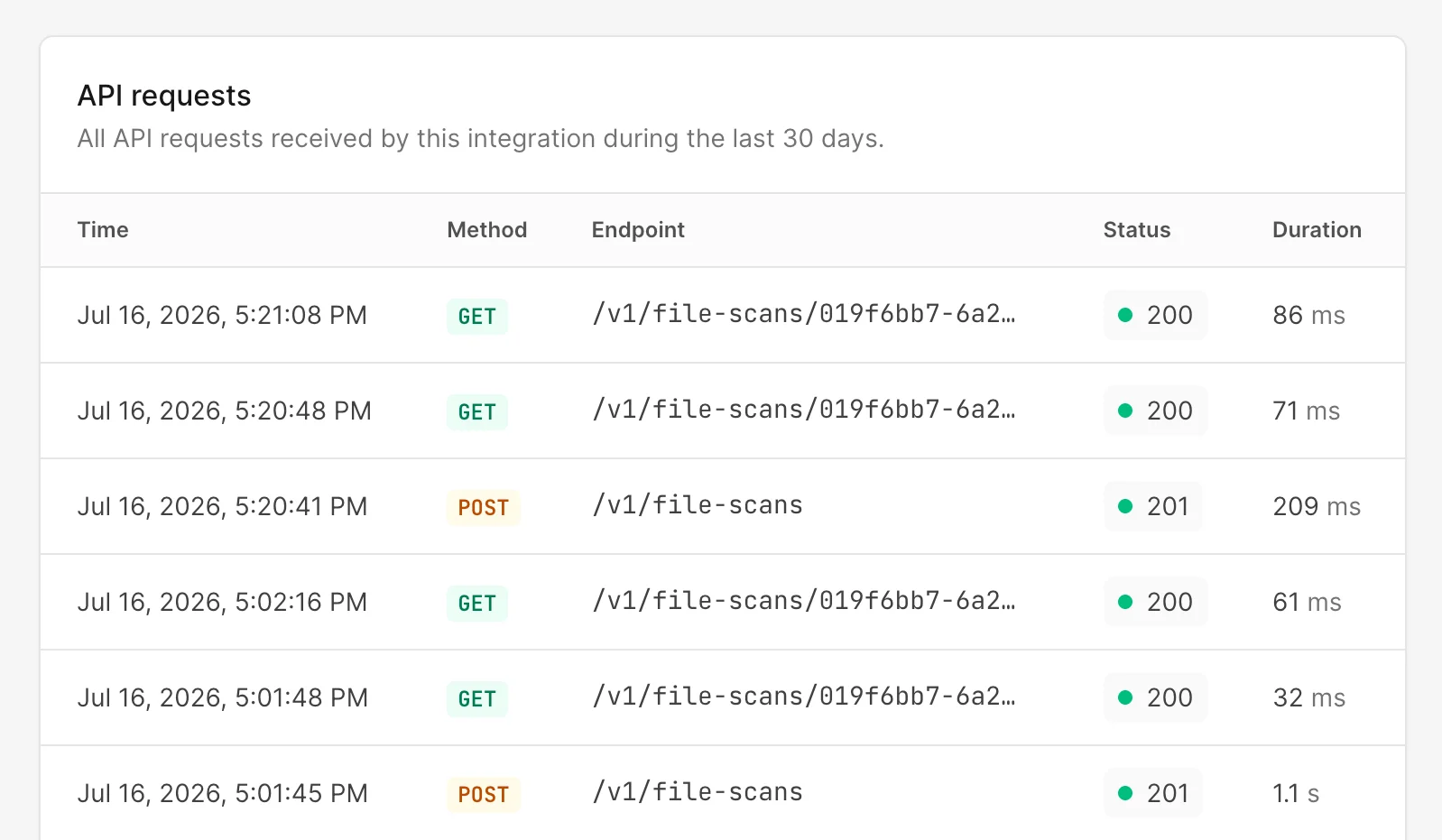
Below the chart, the request log lists the time, HTTP method, endpoint, response status, and duration of each request. This makes it easier to spot error patterns, confirm that an integration is active, and investigate slow or unsuccessful calls without piecing the story together elsewhere.
Follow Webhook Deliveries from Start to Finish
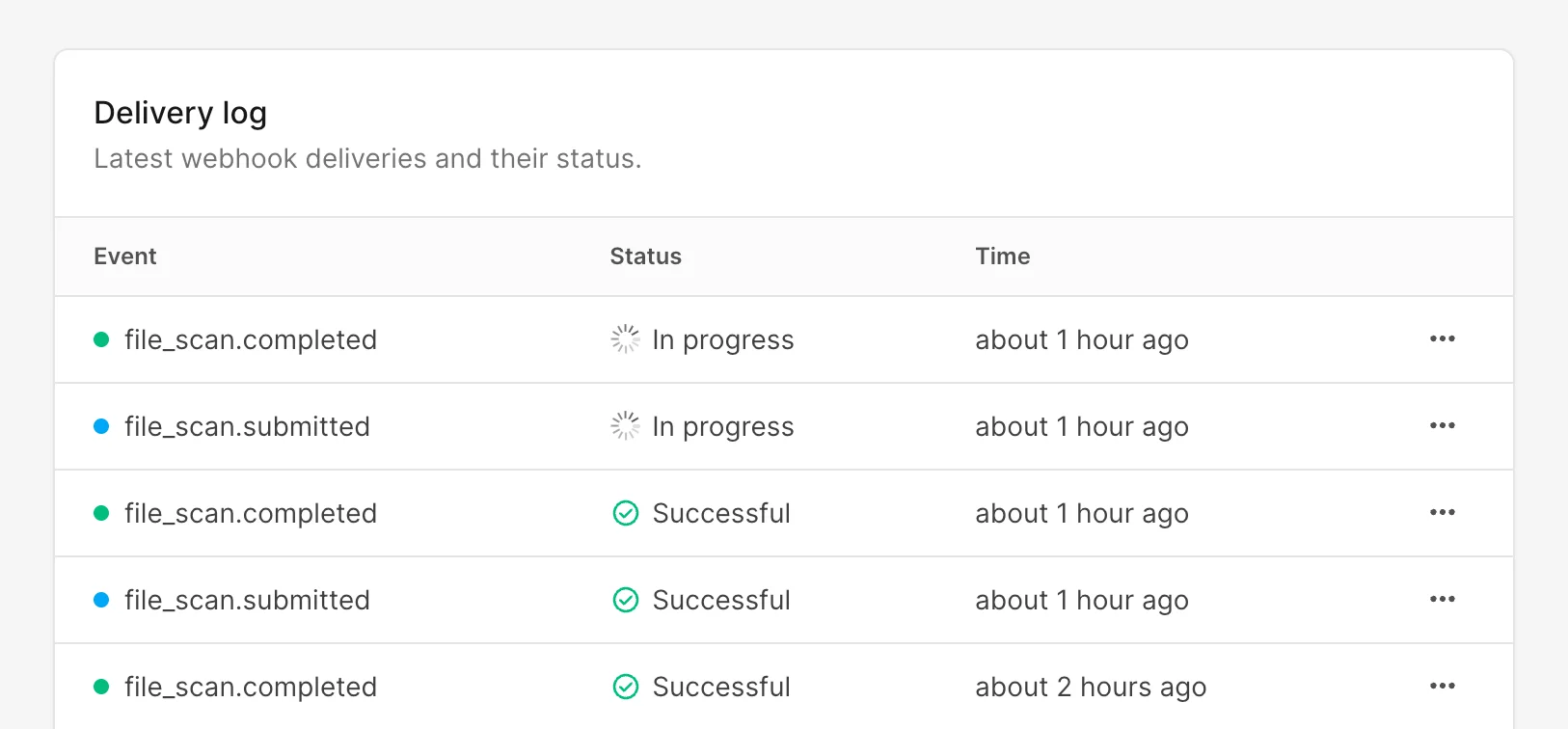
Webhook delivery logs now live directly below the webhook settings for each API integration. The overview shows the event, current delivery status, and creation time for every recent delivery.
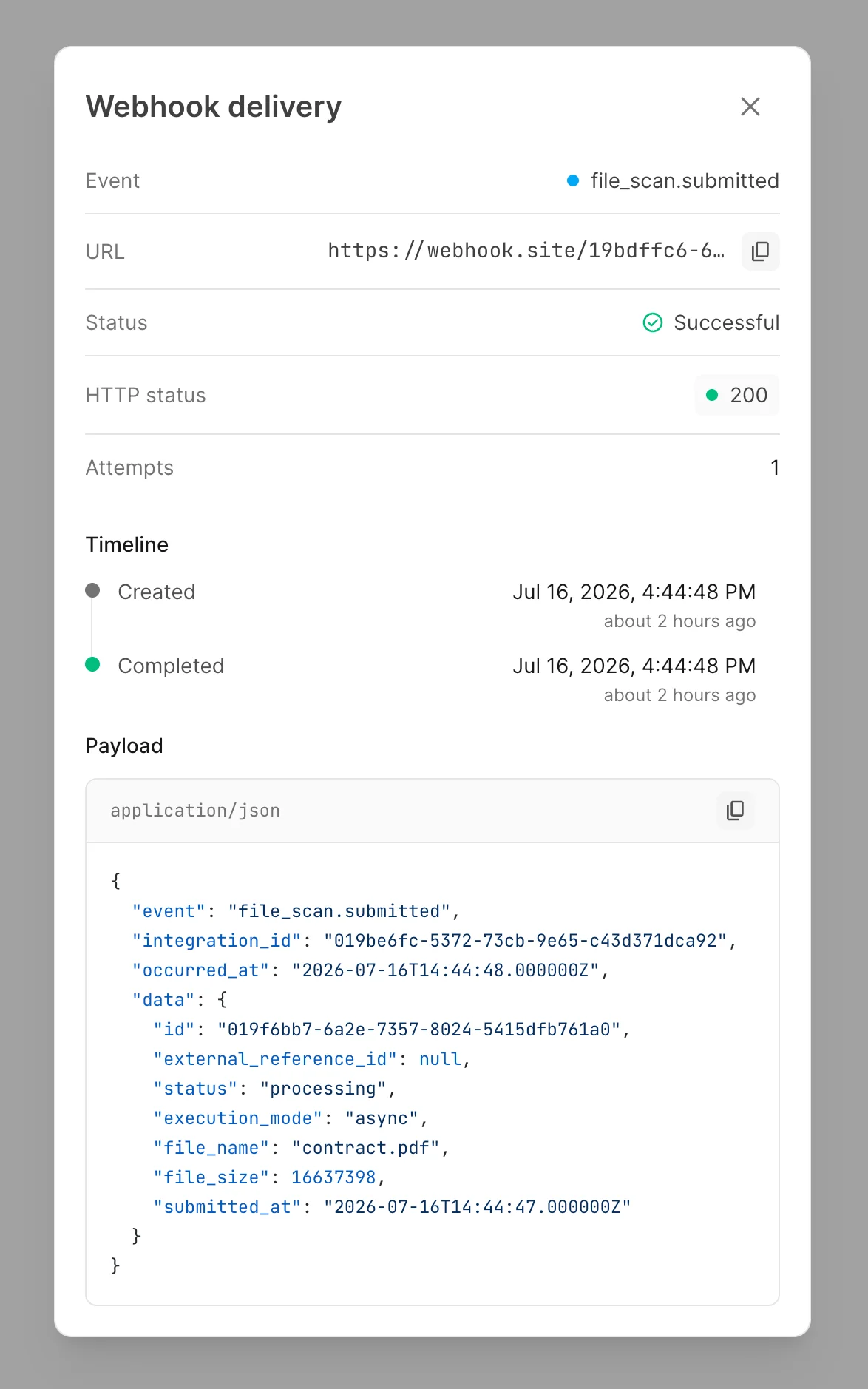
Open an entry to see the destination, response status, number of delivery attempts, and a timeline of its progress. You can also view and copy the exact JSON payload.
Each delivery keeps one continuous log across its retries, so you can quickly see whether it succeeded, another attempt is scheduled, or it ultimately failed.
Less Guesswork, Faster Debugging
Together, these updates create a clearer operational trail. Your charts line up with your working day, incoming API activity is visible request by request, and outbound webhook deliveries can be traced through retries and responses. The information that matters stays close to the integration it belongs to.
What Is Blazelock?
Blazelock is a malware scanning API for modern applications. It helps teams inspect file uploads before they are stored, processed, or shared - without operating their own scanning infrastructure. Integrate through a straightforward REST API, use synchronous or asynchronous scans, and connect webhooks to keep your product workflows moving with clear security signals.
The Blazelock beta is currently free. Start scanning or explore the documentation to add malware protection to your next file upload.